Petoi Bittle: Open-Source ESP32 Quadruped Robot
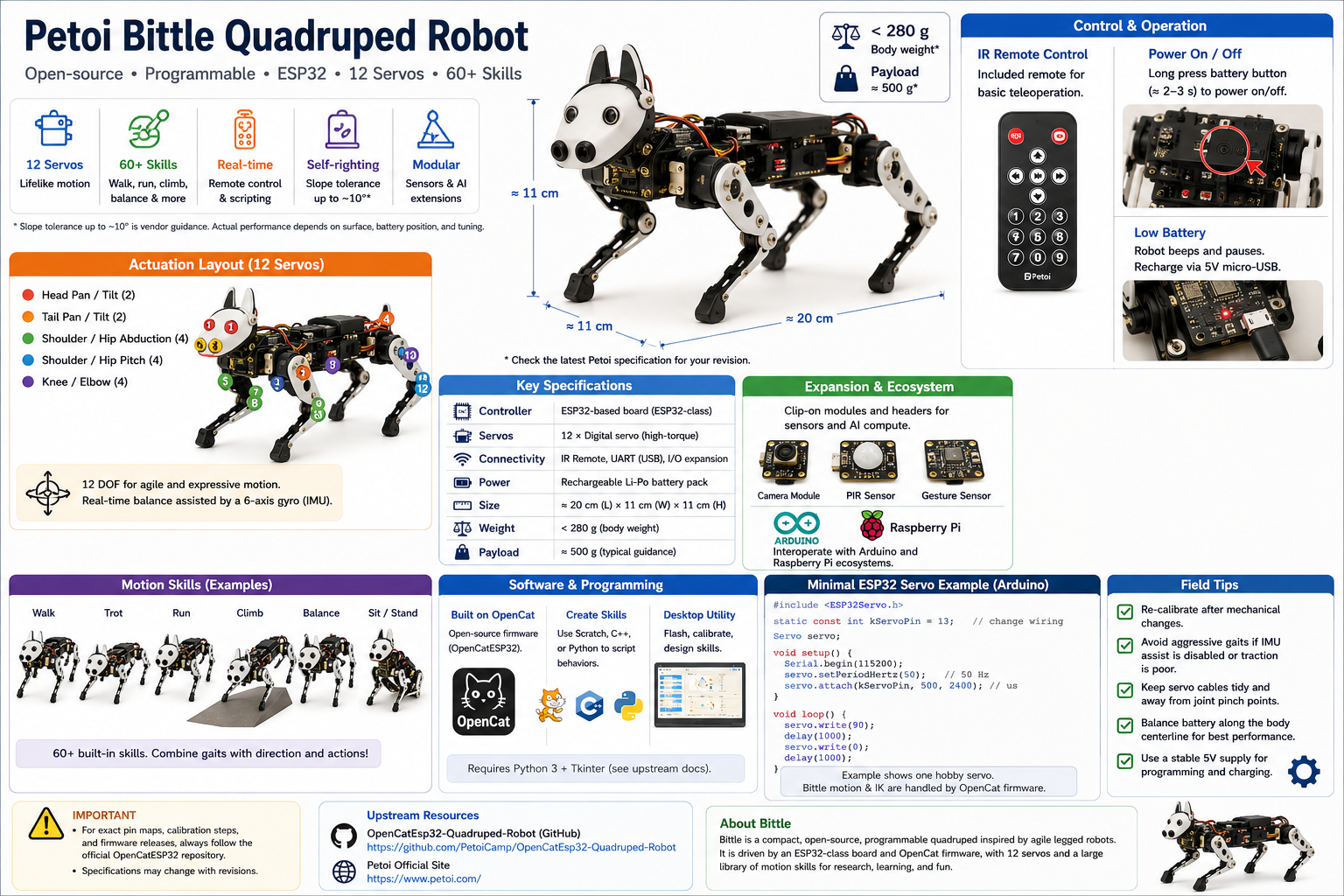
Petoi Bittle is a compact, open-source, programmable quadruped inspired by agile legged robots. It is driven by an ESP32-class board and Arduino / OpenCat style firmware, with 12 servos and a large library of motion skills. This article summarizes what the hardware does, how motion and balance work, and where to start in software—without replacing the upstream project README.
What this article is for
You will learn Bittle’s physical envelope, actuation layout, control surface (remote, calibration, host tools), and extension points for sensors and AI modules. For exact pin maps, calibration steps, and release binaries, follow the OpenCatEsp32 repository linked at the end.
Key capabilities
- 12 servos for lifelike leg and head/tail motion.
- 60+ packaged motion skills (walk, run, climb, balance, and combinations).
- Real-time remote control and scripted behaviors.
- Self-righting and slope tolerance (vendor guidance often cites up to ~10°; validate on your surface and battery layout).
- Modular clips and headers for sensors and companion compute (for example cameras or gesture sensors).
Hardware and assembly
Bittle is about 20 cm × 11 cm × 11 cm and under ~280 g body mass, with payload guidance on the order of hundreds of grams (check the latest Petoi specification for your revision). Structure is optimized for agility within that scale.
Assembly tips that usually matter in the field:
- Route servo leads so they cannot pinch at joint limits.
- Set neutral knee bends before calibration so the gait engine starts from a sane pose.
- Balance battery position along the body centerline when tuning fast gaits.
Motion control and balance
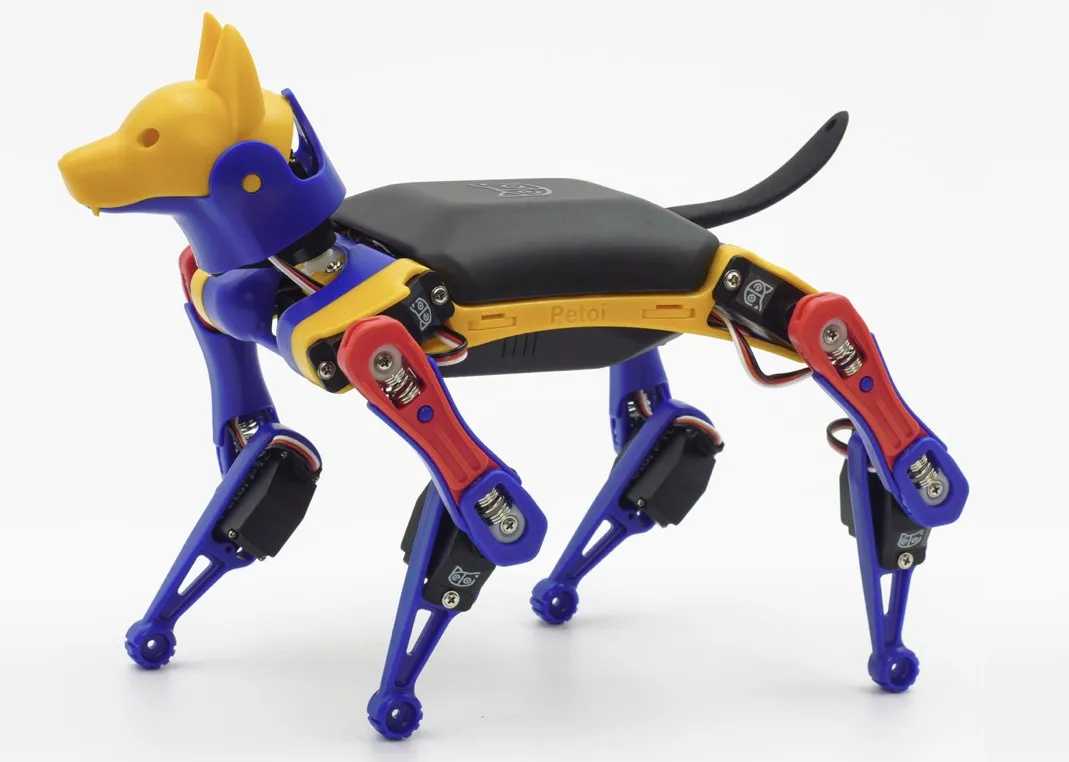
Twelve joints typically cover head pan/tilt, tail pan/tilt, four shoulder/hip abduction, four shoulder/hip pitch, and four elbow/knee style joints (exact naming follows OpenCat conventions). A gyro assists real-time balance so the robot can reject light disturbances and remain usable on mild slopes.
Users can switch gaits (for example walk vs trot vs crawl) and combine them with direction commands; skill details live in OpenCat firmware and desktop tools.
Power and operation
Power comes from a rechargeable battery pack. Long-press the battery button (about 2–3 s, per vendor guidance) for power on/off. An IR remote is supported for basic teleop. When the battery is low, the robot may beep and pause until you recharge via 5 V micro-USB (connector type can vary by revision—confirm on your unit).
Expansion and ecosystem
The head area supports clip-on modules (cameras, PIR, gesture sensors, and similar). Petoi documents interoperability with Arduino and Raspberry Pi ecosystems for higher-level perception or training workflows; treat those as optional companions, not requirements for basic locomotion.
Software and programming
Bittle builds on the open OpenCat firmware family. You can author skills with Scratch, C++, or Python depending on the toolchain you adopt, and use the official desktop utility (Python 3 + Tkinter in upstream docs) for flash, calibration, and skill design.
Upstream firmware and examples: OpenCatEsp32-Quadruped-Robot
Minimal ESP32 PWM servo example (Arduino)
Bittle’s real mixer and IK live in OpenCat. The snippet below only shows how to drive one hobby servo on ESP32 using the common ESP32Servo library (install from the Arduino Library Manager). It is not a drop-in OpenCat replacement.
Assumption: Arduino-ESP32 core 2.0.x (or compatible 3.x) with ESP32Servo installed; pick a GPIO that matches your wiring and strapping rules for your module.
#include <ESP32Servo.h>

static const int kServoPin = 13;  // Example: change to your wiring

Servo servo;

void setup() {
  Serial.begin(115200);
  servo.setPeriodHertz(50);  // Standard 50 Hz hobby servo
  servo.attach(kServoPin, 500, 2400);  // us pulse limits; tune if needed
}

void loop() {
  servo.write(90);
  delay(1000);
  servo.write(0);
  delay(1000);
}
Field tips
- Prefer calibration mode after mechanical changes; small angular errors compound in gaits.
- Avoid aggressive gaits if you have disabled IMU assistance or poor traction.
- For best slope behavior, validate center of mass with your battery and any add-ons.